

Description
Download Freez Screen Video Capture – Free Screen Recording Tool for Windows & Mac
Simple & Efficient Screen Recording with Freez Screen Video Capture
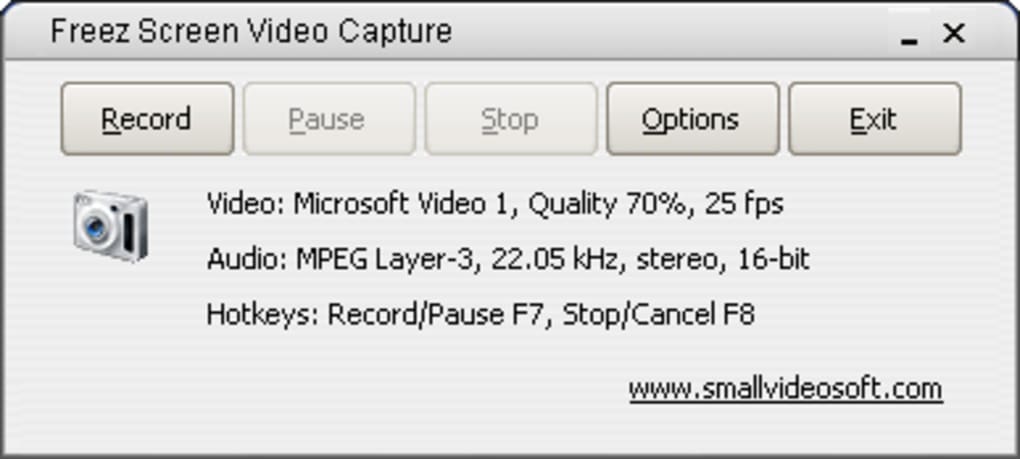
If you're searching for a reliable way to record your computer screen—whether it's for tutorials, software demos, online presentations, or gameplay—Freez Screen Video Capture offers a straightforward solution. This free screen recording tool allows users to capture both video and audio from their system, making it ideal for creating educational content, sharing software walkthroughs, or recording voiceovers. The interface is intentionally minimalistic, featuring only essential controls: Record, Pause, Stop, Options, and Exit. This simplicity makes it accessible even for beginners who aren’t tech-savvy. Despite its compact design, the app provides a surprisingly comprehensive set of recording options. The real-time display of current settings—such as resolution, frame rate, and audio source—helps users monitor their recording quality on the fly. One of the standout features is the hotkey support, allowing users to start, pause, and stop recordings without touching the mouse. This is particularly useful during live demonstrations or when multitasking. However, while the concept is solid, performance issues can hinder the user experience. Many users report that the app significantly slows down their system during recording, especially on older machines. Additionally, the Select Fixed Region feature often fails to lock in the desired area, leading to inconsistent captures. While Freez Screen Video Capture is free to download and use, the video output quality is often below par, with visible compression artifacts and lower-than-expected resolution. Still, for those who prioritize ease of access and quick setup, it’s worth a try—especially if you're on a tight budget or just need a basic recording tool.
Key Features and Customization Options in Freez Screen Video Capture
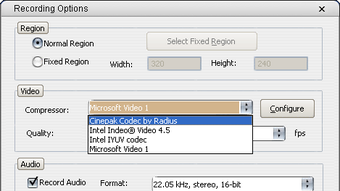
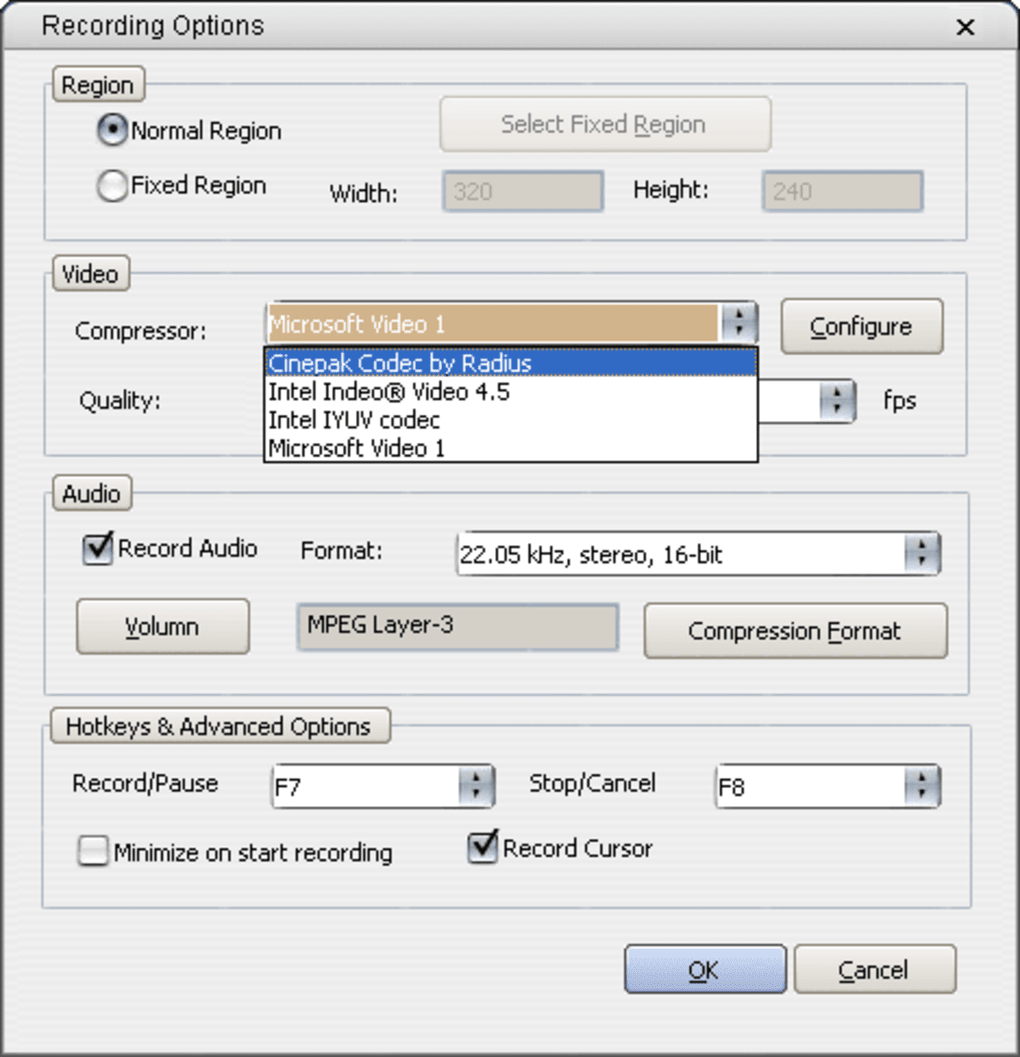
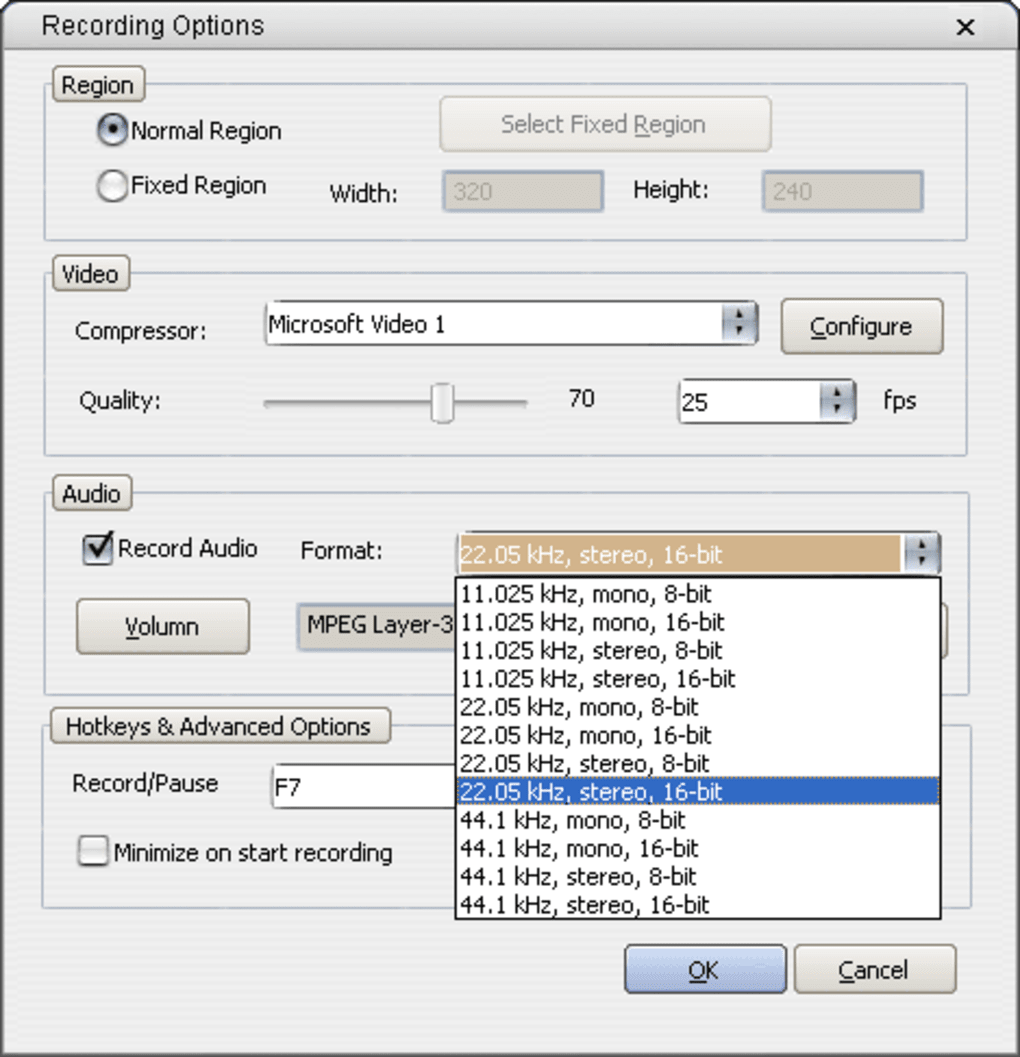
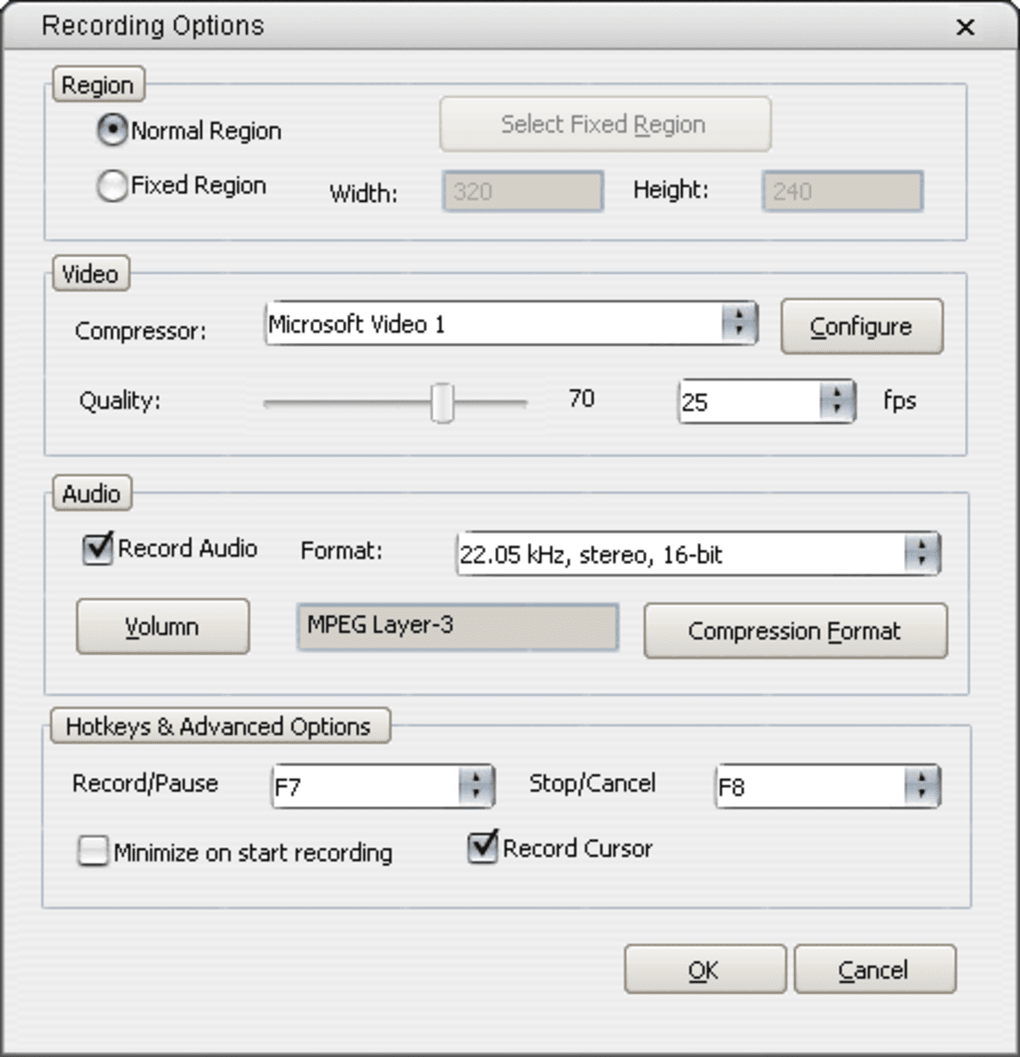
Freez Screen Video Capture delivers several useful features that enhance the screen recording experience, even if they’re not always executed flawlessly. The core functionality revolves around capturing your screen with audio, which can be sourced from your microphone, system audio, or both. This dual-audio recording capability is essential for creating engaging tutorials where you want to explain what’s happening on screen. The app supports recording the entire screen, a specific window, or a custom region—though users frequently report issues with the fixed region selection, where the area doesn’t stay locked as expected. Despite this, the Options menu provides granular control over video settings, including frame rate (ranging from 15 to 60 FPS), resolution (up to 1080p), and output format (typically MP4). You can also choose the audio codec and bitrate, allowing for better sound quality when needed. Another notable feature is the built-in hotkey system, which lets you trigger recording actions with customizable keyboard shortcuts—perfect for hands-free operation. The software also includes a simple preview window that shows the recording area in real time, helping you adjust before hitting Record. While the feature set is solid, the lack of advanced editing tools is a missed opportunity. There’s no built-in video trimmer, watermarking, or direct sharing to platforms like YouTube or Google Drive. For users who need more than just recording, this limitation may be a dealbreaker. Still, for basic screen capture tasks, Freez Screen Video Capture offers a surprisingly complete toolkit. The fact that it’s free and doesn’t require registration makes it an appealing option for casual users. However, the trade-off between functionality and performance remains a concern, especially on lower-end devices.
Installation, Usage, and Compatibility Across Platforms
Installing Freez Screen Video Capture is a breeze, thanks to its lightweight installer and minimal system requirements. The download file is small and fast to extract, requiring no lengthy setup process. Once installed, the application runs directly from your desktop with no background services or startup prompts. On Windows, it’s compatible with Windows 7 and later, including Windows 10 and 11. For Mac users, the software supports macOS 10.12 and above, making it accessible to most modern Apple devices. The app is designed to be portable, meaning you can run it from a USB drive without installation if needed. To begin recording, simply launch the app, select your recording mode (Full Screen, Window, or Region), adjust audio settings, and hit the Record button. The hotkey system can be configured in the Options menu, allowing you to assign keys like Ctrl+Shift+R to start recording instantly. This is especially helpful during live sessions where you need to react quickly. During recording, a small overlay appears in the corner showing the recording status and elapsed time. When you’re done, click Stop, and the file is saved automatically to your chosen folder. The default location is usually the desktop or a designated “Videos” folder. However, users have reported that the software sometimes fails to save files properly, especially after a crash or sudden stop. This is a critical flaw, as losing a recording can be frustrating. Additionally, the lack of an auto-backup or cloud sync option means you must manually manage your files. While the software is free and easy to use, the occasional instability and file-saving issues make it less reliable than competitors like OBS Studio or Camtasia. Still, for users who want a no-frills, instant recording tool without a learning curve, Freez Screen Video Capture remains a viable choice—provided you’re willing to accept its limitations.
Pros, Cons, and Why You Might Want to Consider Alternatives
- Pros:
- Free to download and use with no hidden costs
- Simple, intuitive interface ideal for beginners
- Supports dual audio recording (microphone + system audio)
- Customizable hotkeys for hands-free recording
- Records full screen, window, or custom region
- Cons:
- Significant performance impact on older or low-end systems
- Fixed region selection often fails to lock properly
- Video output quality is lower than expected (compression artifacts)
- No built-in video editing or trimming tools
- Occasional file-saving failures and crashes
While Freez Screen Video Capture offers a free and accessible way to record your screen, it’s not without its flaws. The performance drain and inconsistent region selection are major drawbacks that can disrupt workflows. If you’re creating content for YouTube, training modules, or professional presentations, the lower video quality may not meet your standards. For these users, alternatives like OBS Studio (free), Camtasia (paid), or Screencast-O-Matic (freemium) offer better performance, higher quality output, and more robust editing tools. These platforms also provide cloud storage, direct publishing, and advanced effects. That said, Freez Screen Video Capture still holds value for casual users who need a quick, no-cost solution. It’s perfect for one-off recordings, quick demos, or when you don’t want to invest time in learning a complex tool. However, if reliability, quality, and advanced features are important, it’s worth exploring other options. Ultimately, Freez Screen Video Capture is a decent starting point—but not the final destination for serious screen recording needs.
Frequently Asked Questions (FAQ)
Is Freez Screen Video Capture free to download?
Yes, Freez Screen Video Capture is completely free to download and use. There are no subscription fees, in-app purchases, or watermarks on exported videos. It’s ideal for users looking for a no-cost screen recording solution.
Does Freez Screen Video Capture work on Mac and Windows?
Yes, Freez Screen Video Capture is compatible with both Windows (7 and later) and macOS (10.12 and above). It runs smoothly on most modern systems, though performance may vary on older hardware.
Can I record audio along with my screen?
Absolutely. The software allows you to record both system audio and microphone input simultaneously, making it perfect for tutorials, voiceovers, and live presentations.
Why does my computer slow down when using Freez Screen Video Capture?
The software can be resource-intensive, especially when recording at high resolutions or frame rates. Older systems with limited RAM or slower CPUs may struggle, causing lag or slowdowns during recording.
Can I edit my recordings within Freez Screen Video Capture?
No, Freez Screen Video Capture does not include any built-in video editing tools. You’ll need to use a separate video editor to trim, crop, or enhance your recordings after export.
Final Verdict: Is Freez Screen Video Capture Worth It?
Freez Screen Video Capture is a solid entry-level screen recording tool that’s easy to use and free to download. Its minimal interface, hotkey support, and dual audio recording make it a convenient choice for quick tasks. However, performance issues, inconsistent region selection, and subpar video quality limit its usefulness for professional or frequent use. If you’re on a budget and only need occasional screen captures, it’s worth a try. But for serious content creators, educators, or developers, better alternatives like OBS Studio or Camtasia offer superior reliability, quality, and features. Download Freez Screen Video Capture today and see if it fits your needs—but don’t hesitate to explore other options if you demand more from your screen recording software.
Download Freez Screen Video Capture now and start recording your screen for free—ideal for Windows and Mac users seeking a simple, no-cost solution.
Guides & Tutorials for Freez Screen Video Capture
How to install Freez Screen Video Capture
- Click the Preview / Download button above.
- Once redirected, accept the terms and click Install.
- Wait for the Freez Screen Video Capture download to finish on your device.
How to use Freez Screen Video Capture
This software is primarily used for its core features described above. Open the app after installation to explore its capabilities.
User Reviews for Freez Screen Video Capture 0
No reviews found





